Temporary Free phase · 5,000 weekly credits after verification
All modules and models are included for verified accounts. Each render uses the displayed model credit cost. Purchased credits remain in your account; new purchases are paused.
Windows x64 · VST® 3 · FL StudioPremier / Sun IncludedVerified account · Audio stays localVST is a registered trademark of Steinberg Media Technologies GmbH. OrynosMusic is independently developed. SDK licence and notices.
Stay in your session.
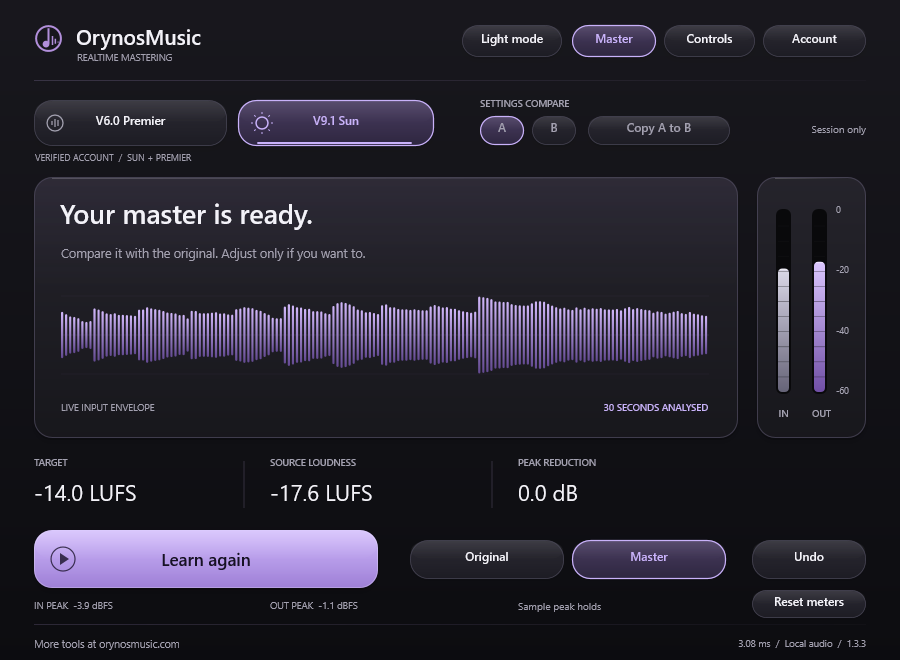
Install. Scan in FL Studio. Sign in. Auto Master analyses playback; Controls lets you fine-tune it.
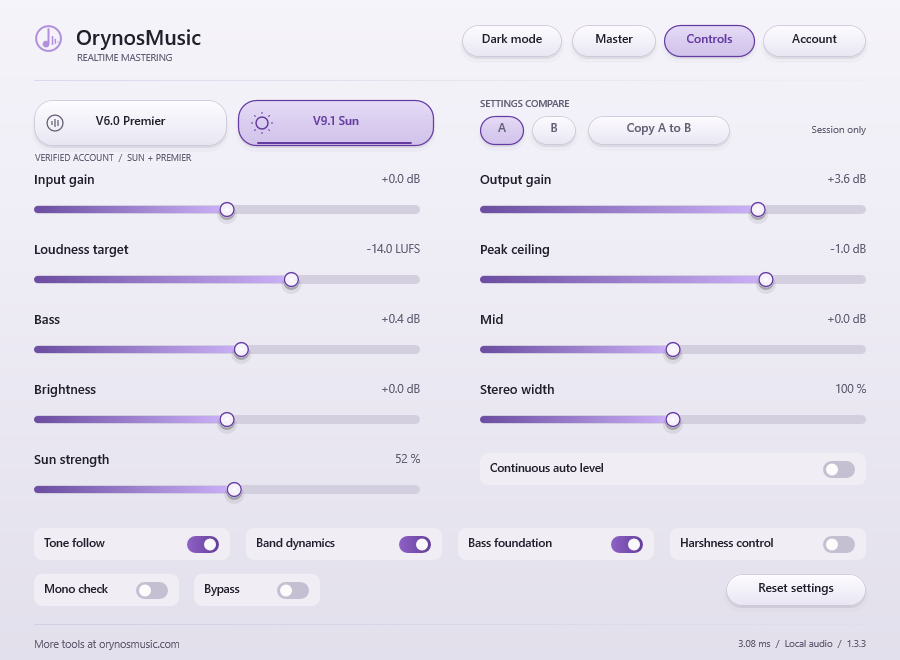
Set tone, stereo width, loudness target and peak ceiling. Use the original to check each adjustment. Hold input and output sample peaks, then reset the meters for a fresh check.
Actual Realtime VST3 Controls view in light mode. Preview settings shown.
Public preview. Unsigned installer: Windows may show “Unknown publisher”.
Close your DAW, install the Windows x64 preview, then rescan VST3 plugins. In FL Studio, open Options → Manage plugins → Find installed plugins.
Connect your OrynosMusic account with a verified email.
Press Auto Master, then play an audible section. It analyses 30 seconds of playback; pauses and silence stop the countdown.
Premier and Sun run locally as streaming editions. Live use does not spend generation credits. For whole-track analysis and additional models, use website mastering.
Essential site storage keeps sign-in, API access and your privacy choice working and is always active. Only with your consent, OrynosMusic loads one clearly labelled sponsor area from Adsterra (AD MARKET LIMITED and ADMEDIA LLC FZ). This helps fund the service, while the provider may use marketing cookies or browser storage and process IP address, browser/device data, advertising interactions and identifiers for delivery, measurement and profiling. Depending on the campaign, further advertising partners and recipients outside the EEA may be involved. If you decline, the website remains fully usable and ad-free.
 OrynosMusic